
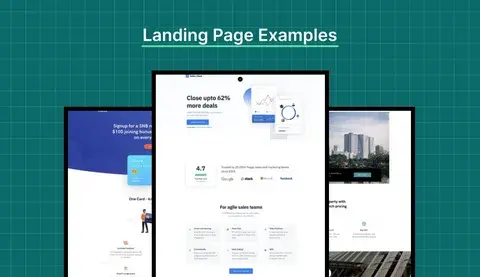
A landing page has a simple job: move a visitor toward one specific action.
That action could be:
- Starting a free trial
- Booking a demo
- Requesting a quote
- Filling out a contact form
- Downloading a resource
- Purchasing a product
- Signing up for a service
But many landing pages try to do too much.
They contain multiple competing messages, too many buttons, unclear copy, unnecessary sections, and complicated forms.
The result is a page that looks good but doesn't generate enough conversions.
A high-converting landing page starts with clarity.
Here's how to build one.
1. Start With One Conversion Goal
Before designing the page, decide what you want visitors to do.
For example:
SaaS: Start a free trial
Agency: Book a strategy call
eCommerce: Buy the product
B2B: Request a quote
Everything on the page should support that goal.
If the primary goal is booking a demo, the page shouldn't have five unrelated CTAs competing for attention.
One primary action makes the visitor's next step obvious.
2. Write a Clear Headline
Your headline is usually one of the first things visitors see.
It should quickly answer:
What do you offer, and why should I care?
Avoid vague headlines like:
Digital Solutions for Modern Businesses
Instead, explain the outcome.
For example:
Launch Your SaaS Website Faster Without Expanding Your Team
The second version tells the visitor what the offer is and why it matters.
Your headline doesn't need to be clever.
It needs to be clear.
3. Explain the Value Proposition
Your supporting copy should give visitors enough context to understand the offer.
A strong value proposition usually communicates:
- What you provide
- Who it's for
- What problem it solves
- What outcome the customer can expect
Keep it focused.
Visitors shouldn't have to read five paragraphs to understand what you're selling.
4. Use a Strong CTA
Your call-to-action should clearly communicate what happens when someone clicks.
Instead of:
Submit
Try:
Book a Free Consultation
Instead of:
Learn More
Try:
See How It Works
Instead of:
Get Started
Try:
Start Your Free Trial
The CTA should match the action you're asking the visitor to take.
5. Put Important Information Above the Fold
Visitors shouldn't need to scroll to understand the basic offer.
Your first screen should generally communicate:
- What you offer
- Who it's for
- The primary benefit
- Your main CTA
- Supporting visual or product context
This doesn't mean everything needs to fit above the fold.
It means the visitor should understand the page's purpose immediately.
6. Show the Product or Service
If you're selling software, show the software.
If you're selling design services, show examples.
If you're selling a physical product, show the product clearly.
Visual proof can reduce uncertainty.
For SaaS landing pages, screenshots, product walkthroughs, dashboards, and short videos can help visitors understand the product faster than long paragraphs of copy.
7. Add Social Proof
People naturally want to know whether others have trusted the business before.
Depending on your business, social proof can include:
- Customer testimonials
- Case studies
- Client logos
- Reviews
- Ratings
- Usage numbers
- Results
- Industry certifications
Don't add testimonials simply to fill space.
Use specific, believable statements that address the customer's concerns.
For example:
"LaunchNest helped us launch our new website without adding another developer to the team."
is more useful than:
"Great company. Highly recommended!"
8. Address Objections
Visitors often have questions before converting.
Your landing page should answer the most important ones.
Depending on your offer, these might include:
- How much does it cost?
- How long does it take?
- Is there a contract?
- Can I cancel?
- What happens after I sign up?
- Do you offer support?
- Is there a free trial?
- What technologies do you use?
An FAQ section can be useful here.
The goal is to remove uncertainty before the visitor reaches the CTA.
9. Keep Forms Simple
Every additional form field creates more work for the visitor.
Only ask for information you actually need.
Instead of asking for:
- Full name
- Company
- Job title
- Company size
- Phone
- Address
- Website
- Budget
- Timeline
- Message
you may only need:
- Name
- Website
- Message
The right form depends on your sales process, but unnecessary fields can create friction.
10. Design for Mobile First
A landing page that works well on desktop can still perform poorly on mobile.
Check:
- Font sizes
- Button sizes
- Spacing
- Navigation
- Forms
- Images
- Videos
- Page width
- CTA visibility
Make sure visitors can interact with the page comfortably using their thumbs.
Don't treat mobile as a smaller version of desktop.
Design the experience intentionally for smaller screens.
11. Make the Page Fast
A landing page can have excellent copy and design but still lose conversions if it loads slowly.
Common performance problems include:
- Oversized images
- Unnecessary JavaScript
- Too many third-party scripts
- Poor font loading
- Large videos
- Inefficient code
- Slow hosting
Optimize these elements before sending paid traffic to the page.
This is especially important when visitors are arriving from mobile devices or advertising campaigns.
12. Remove Unnecessary Distractions
Every element on a landing page should have a reason to exist.
Ask:
Does this help the visitor understand the offer or take the desired action?
If not, consider removing it.
This can apply to:
- Excessive animations
- Decorative graphics
- Long paragraphs
- Multiple navigation options
- Unrelated links
- Competing CTAs
- Repetitive sections
Conversion-focused design isn't about making a page empty.
It's about making the important things obvious.
13. Test Different Versions
Your first landing page won't necessarily be your best-performing version.
Test elements such as:
- Headlines
- CTA copy
- Hero layouts
- Form length
- Pricing presentation
- Social proof
- Images
- Page structure
But don't change everything at once if you want to understand what caused the difference.
Use analytics and conversion data to make decisions based on actual visitor behavior.
High-Converting Landing Page Checklist
Before launching, check:
Final Thoughts
A high-converting landing page isn't necessarily the page with the most design elements.
It's the page that makes the visitor's decision easier.
Start with a clear goal, explain the value quickly, remove unnecessary friction, provide evidence, and make the next step obvious.
Then use real conversion data to keep improving the page.
At LaunchNest, we combine UI/UX, development, performance, and conversion-focused thinking to build landing pages designed around business goals—not just aesthetics.