
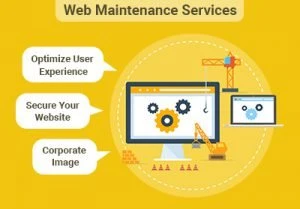
Launching a website is only the beginning. Whether you run a business website, an ecommerce store, or a SaaS platform, your website requires continuous maintenance to remain secure, fast, and fully functional.
Unfortunately, many businesses assume website maintenance simply means updating plugins once a month. In reality, professional website maintenance is a structured process that prevents downtime, strengthens security, improves performance, and ensures your website continues supporting your business goals.
A well-maintained website provides a better user experience, performs better in search engines, and reduces the risk of unexpected technical issues.
Here's what a professional website maintenance plan should actually include.
Why Website Maintenance Is Important
Your website is one of your most valuable business assets. Without regular maintenance, small technical issues can grow into expensive problems.
Neglecting maintenance may result in:
- Security vulnerabilities
- Website downtime
- Slow loading pages
- Broken forms and links
- Poor SEO performance
- Lost leads and sales
- Compatibility issues after software updates
Routine maintenance helps identify and resolve these problems before they affect your visitors.
1. Regular Software Updates
Modern websites rely on multiple technologies, including content management systems, plugins, themes, frameworks, and third-party integrations.
Keeping everything updated is essential for both performance and security.
A maintenance provider should regularly update:
- CMS software
- Plugins
- Themes
- Frameworks
- PHP versions
- Server software
- Third-party integrations
Updates should always be tested before deployment to avoid compatibility issues.
2. Automated Website Backups
Backups are your safety net.
If your website is hacked, accidentally modified, or experiences server failure, backups allow you to restore your website quickly.
A professional maintenance plan includes:
- Daily or weekly automated backups
- Off-site backup storage
- Database backups
- File backups
- Backup verification
- Restoration testing
A backup is only valuable if it can be restored successfully.
3. Website Security Monitoring
Cyber threats continue to evolve, making proactive security monitoring essential.
Website maintenance should include continuous monitoring for suspicious activity.
This includes:
- Malware scanning
- Firewall monitoring
- Login protection
- Brute-force attack prevention
- SSL certificate monitoring
- Security patch implementation
Preventing attacks is far less costly than recovering from them.
4. Performance Optimization
Visitors expect websites to load quickly on every device.
Performance optimization should be an ongoing process rather than a one-time improvement.
Regular optimization includes:
- Image compression
- Cache management
- Database optimization
- CSS and JavaScript optimization
- Core Web Vitals monitoring
- Page speed testing
A faster website improves both user experience and conversion rates.
5. Uptime Monitoring
Your website should be available 24/7.
If it becomes unavailable, every minute of downtime can result in lost customers and revenue.
Professional maintenance includes automated uptime monitoring that instantly detects outages and alerts the support team.
Continuous monitoring allows problems to be resolved before they significantly impact your business.
6. Broken Link and Form Testing
A website can appear perfectly functional while critical features stop working.
Maintenance should include routine testing of:
- Contact forms
- Quote request forms
- Checkout pages
- Login pages
- Internal links
- External links
- Email notifications
Broken functionality often goes unnoticed until customers report it.
7. SEO Health Checks
Technical SEO requires ongoing attention.
Website maintenance should ensure that search engines can continue crawling and indexing your website effectively.
Regular SEO maintenance includes:
- Fixing broken links
- Monitoring crawl errors
- Updating XML sitemaps
- Checking robots.txt
- Monitoring Core Web Vitals
- Identifying duplicate content
- Reviewing page indexing
Small SEO issues can gradually reduce your organic traffic if ignored.
8. Content Updates
Business information changes over time.
Website maintenance often includes updating:
- Team members
- Services
- Pricing
- Blog posts
- Contact details
- Images
- Downloadable resources
Fresh, accurate content builds trust with visitors and search engines.
9. Analytics and Reporting
Maintenance isn't complete without measuring performance.
Monthly reports should provide insights into:
- Website traffic
- Page performance
- Conversion rates
- Uptime statistics
- Security incidents
- Backup status
- Completed maintenance tasks
Clear reporting helps businesses understand the value of ongoing maintenance.
10. Emergency Support
Unexpected problems can happen even with proper maintenance.
A quality maintenance plan should include technical support for issues such as:
- Website downtime
- Security breaches
- Plugin conflicts
- Server errors
- Broken functionality
- Performance issues
Having experienced developers available minimizes downtime and protects your business.
Common Website Maintenance Mistakes
Many businesses unknowingly put their websites at risk by:
- Ignoring software updates
- Skipping backups
- Using outdated plugins
- Installing too many plugins
- Never testing forms
- Waiting until something breaks
- Choosing maintenance plans with no monitoring or reporting
Preventive maintenance is far more effective than emergency repairs.
Website Maintenance Checklist
A complete website maintenance plan should include:
- ✅ Software and plugin updates
- ✅ Security monitoring
- ✅ Malware scanning
- ✅ Automated backups
- ✅ Backup restoration testing
- ✅ Uptime monitoring
- ✅ Website performance optimization
- ✅ Core Web Vitals monitoring
- ✅ SEO health checks
- ✅ Form and functionality testing
- ✅ Content updates
- ✅ Monthly reporting
- ✅ Emergency technical support
If any of these services are missing, your maintenance plan may not provide the protection your website needs.
Final Thoughts
Website maintenance is much more than occasional updates. It's an ongoing process that keeps your website secure, reliable, fast, and optimized for both users and search engines.
By investing in a comprehensive maintenance plan, businesses can reduce downtime, improve performance, strengthen security, and provide a better experience for every visitor.
At LaunchNest, our maintenance services combine proactive monitoring, performance optimization, security management, and technical support to ensure your website continues to perform at its best as your business grows.
Related service: Maintenance, QA & Growth Care — Software maintenance, QA & growth care.